For college students
See what's coming. Plan it before it's due.
Paste your course calendar. Campus Focus turns every paper, lab and exam into short focus blocks that start days before it's due, so no night is a cram night. Your apps wait while you work.
App Store · late November Google Play · late November Tell me when it's out
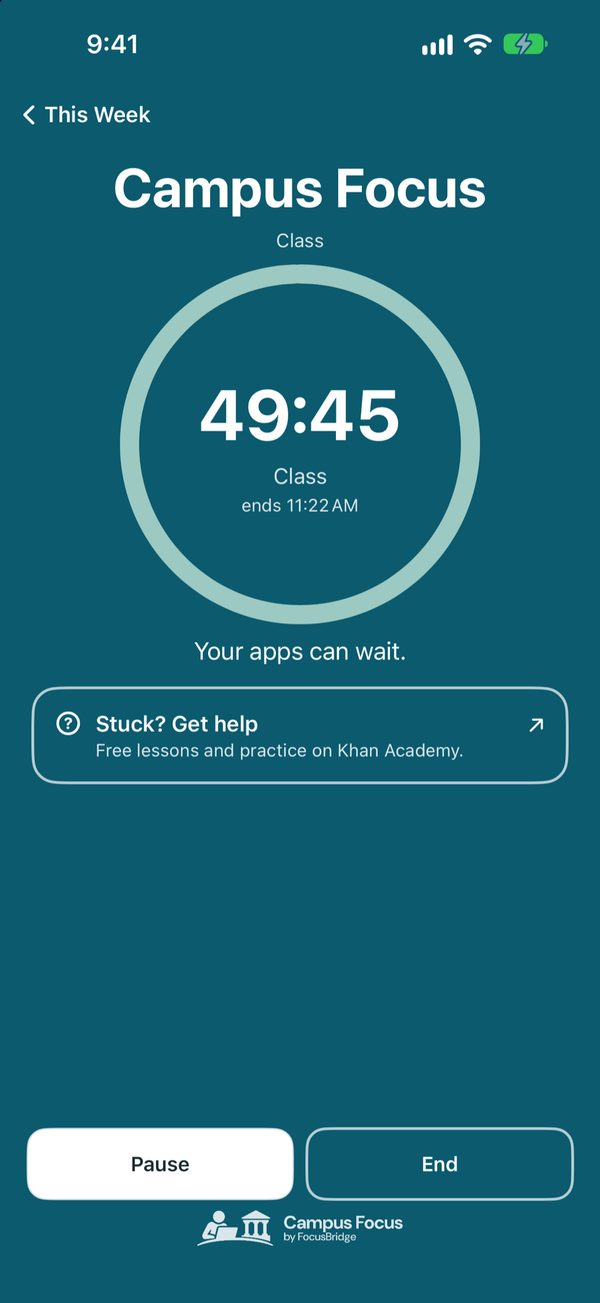
What Campus Focus does
- Due dates only say when an assignment is due. We help plan the work.
- Apps that distract you lock while you work, so you can focus during the time you select.
- Start a class, and the same apps wait while you focus. Your notes and class materials stay open.
- Need help? Your institution's resources are only a tap away.
A week with Campus Focus
One lab report, planned days ahead
- Monday
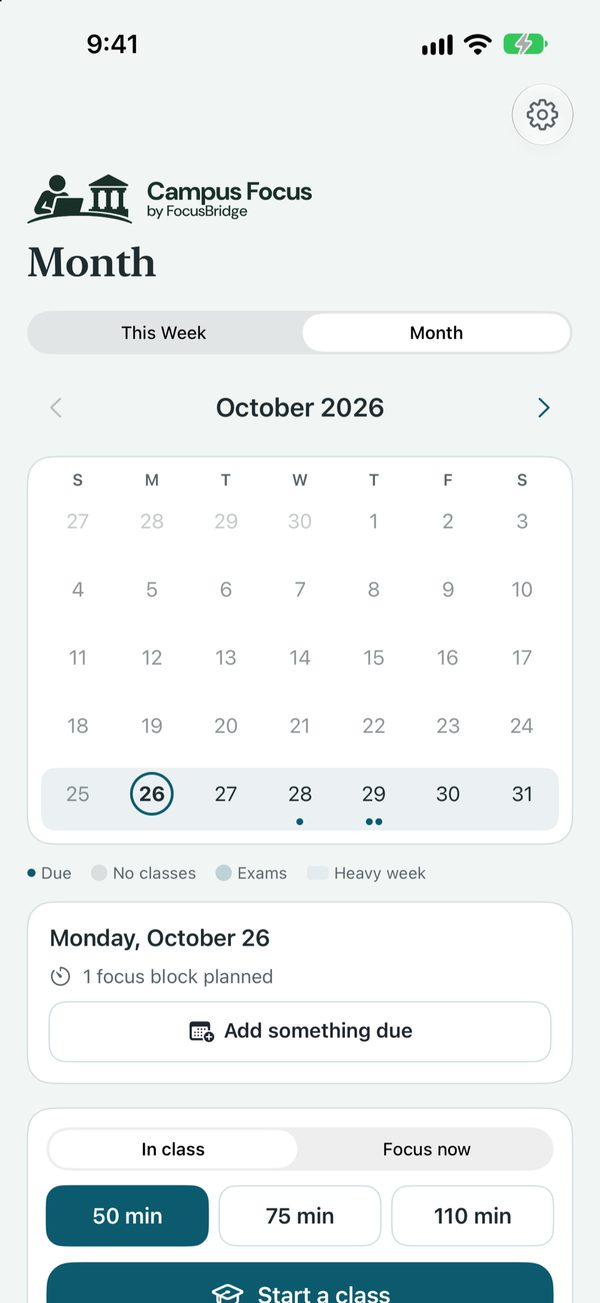
See what is coming.
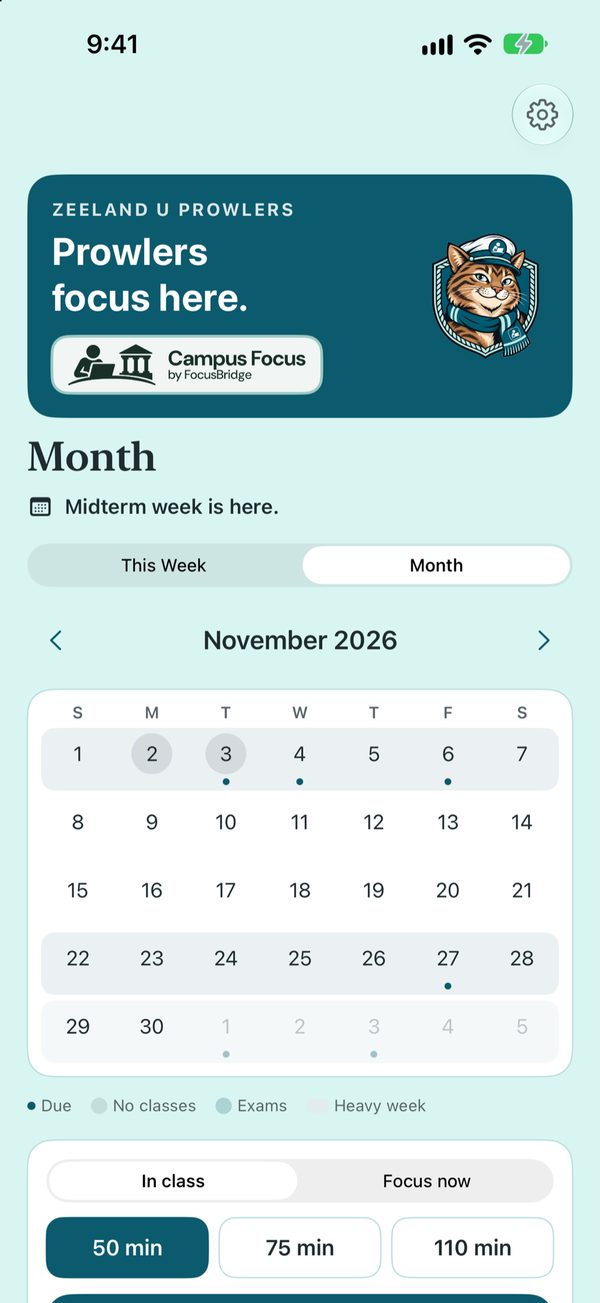
The Month shows every due date from your course calendar, with a dot on each day something is due. Add your own, like a quiz or a meeting.
- Monday
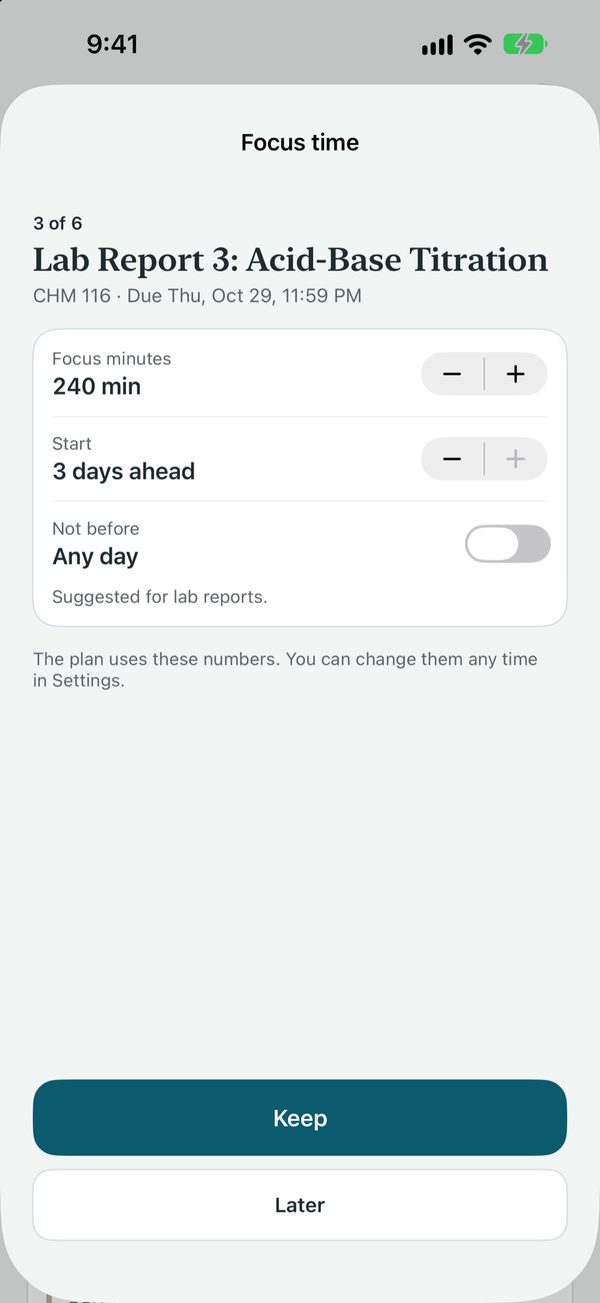
Get a time and a start day.
For a lab report due Thursday it suggests 240 focus minutes, starting 3 days ahead. The suggestion comes from your own work, and the time you need to perform your best. You can change both.
- Tuesday and Wednesday
Press Start. Your apps wait.
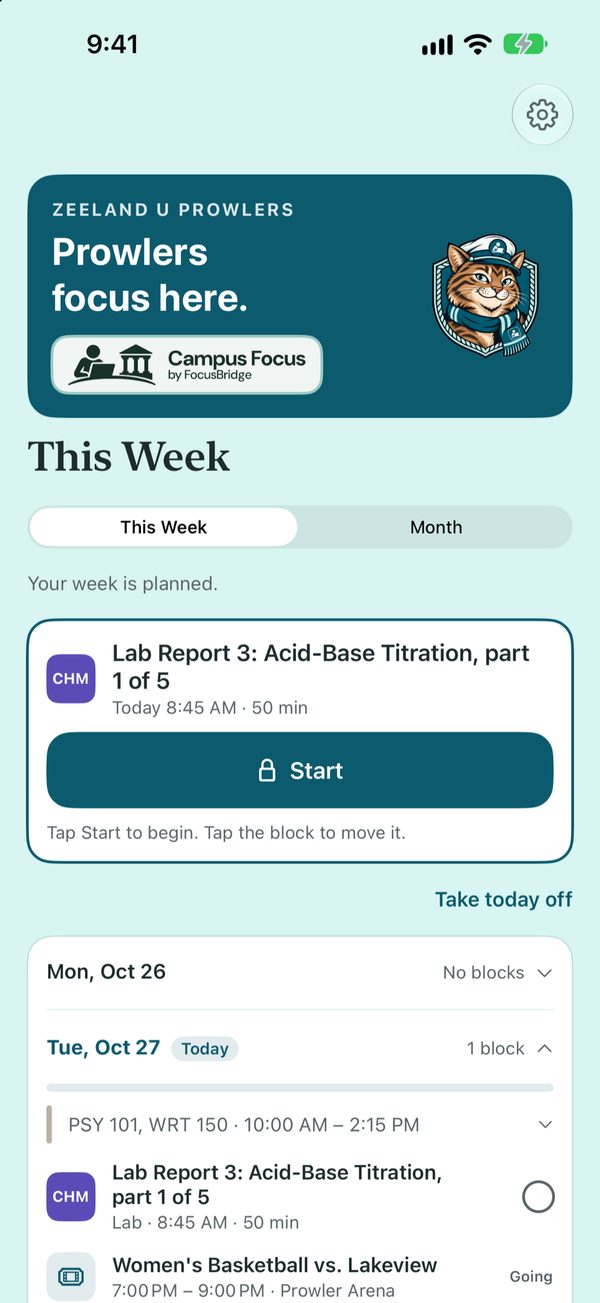
The blocks land on This Week, planned to help you be most effective, with breaks suggested as needed. Tap Start and the apps that pull you away wait until the block ends.
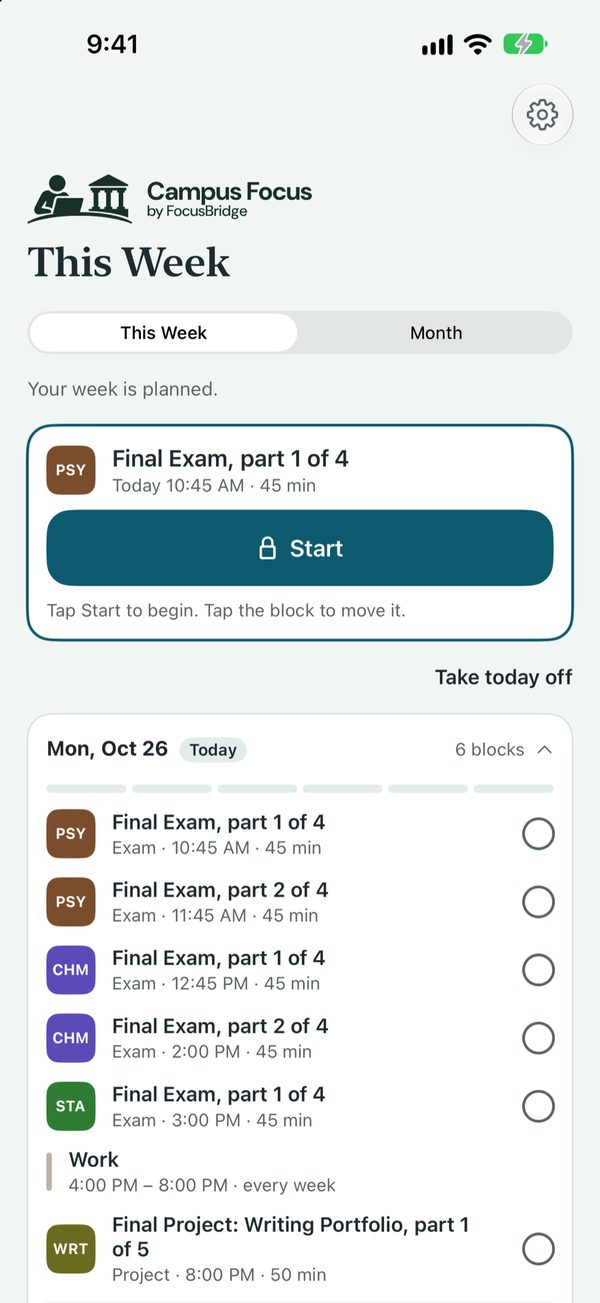
Thursday. The last block is done a day early, and Friday night is free.
App Store · late November Google Play · late November Tell me when it's out
Built around your campus
Customized around your college experience
We build your schedule around the things that matter most.
- Dates that matter
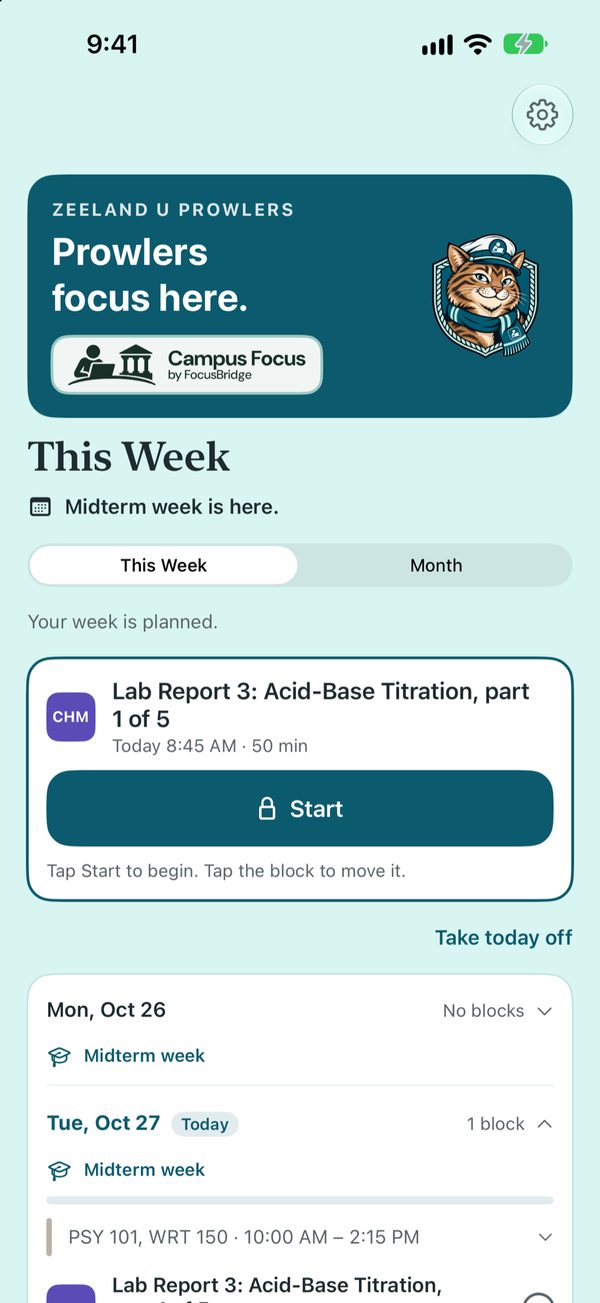
Midterm week is on your week before it arrives.
Midterm week, exam week, the last day to add or withdraw and breaks show up on This Week and on the Month. They take no time. They just tell you what is coming, so you can plan around it.
- Campus events
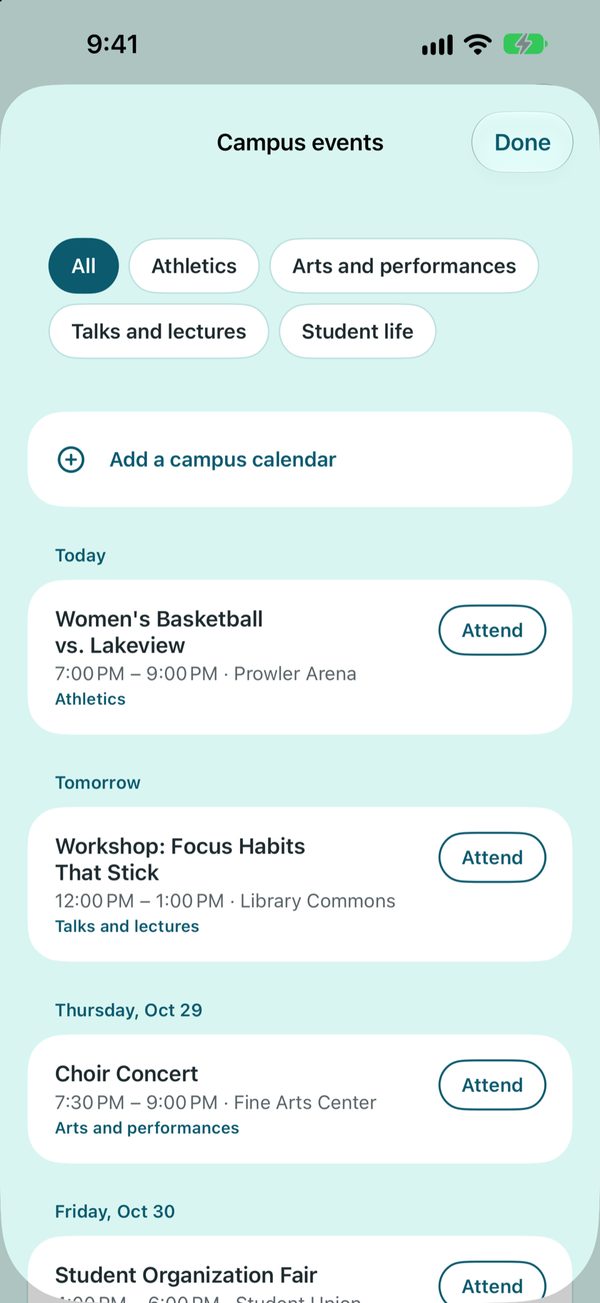
Pick the kinds you like. Mark what you are going to.
Turn on your institution's public event calendars, choose athletics, arts, talks or student life, and tap Attend. Your focus blocks stay clear of what you are going to.
- Help offices
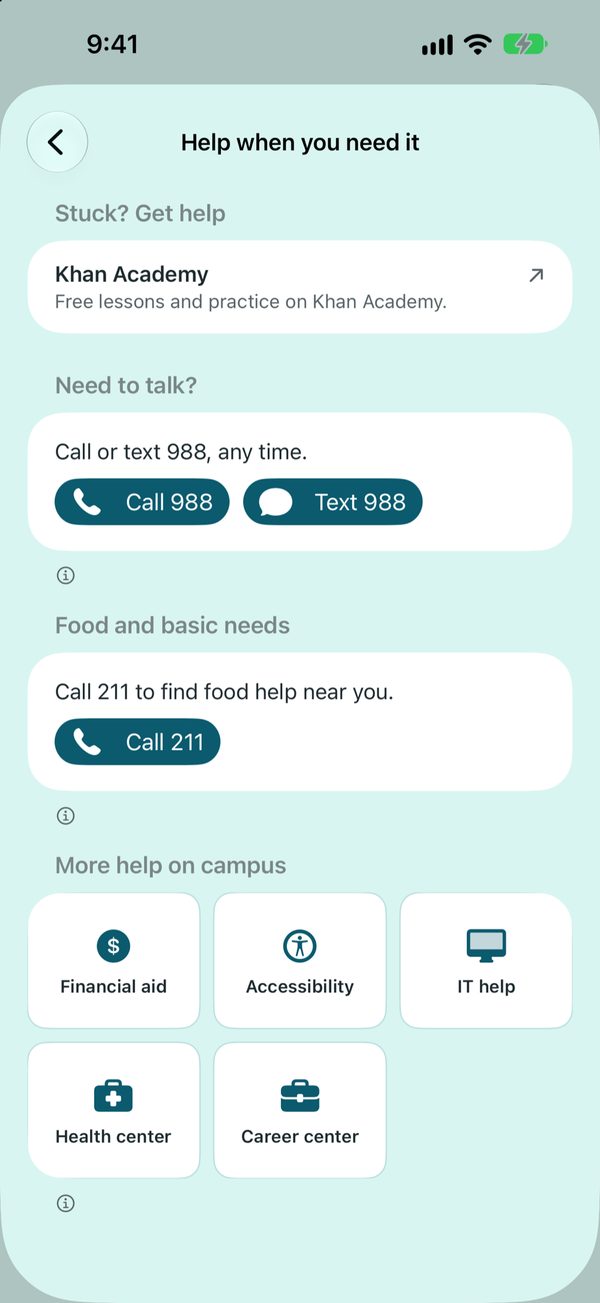
Financial aid, accessibility, IT help, one tap away.
Financial aid, accessibility, IT help, the health center and the career center, plus tutoring. They open your institution's own pages. Nothing watches for a reason to show them, and opening one records nothing.
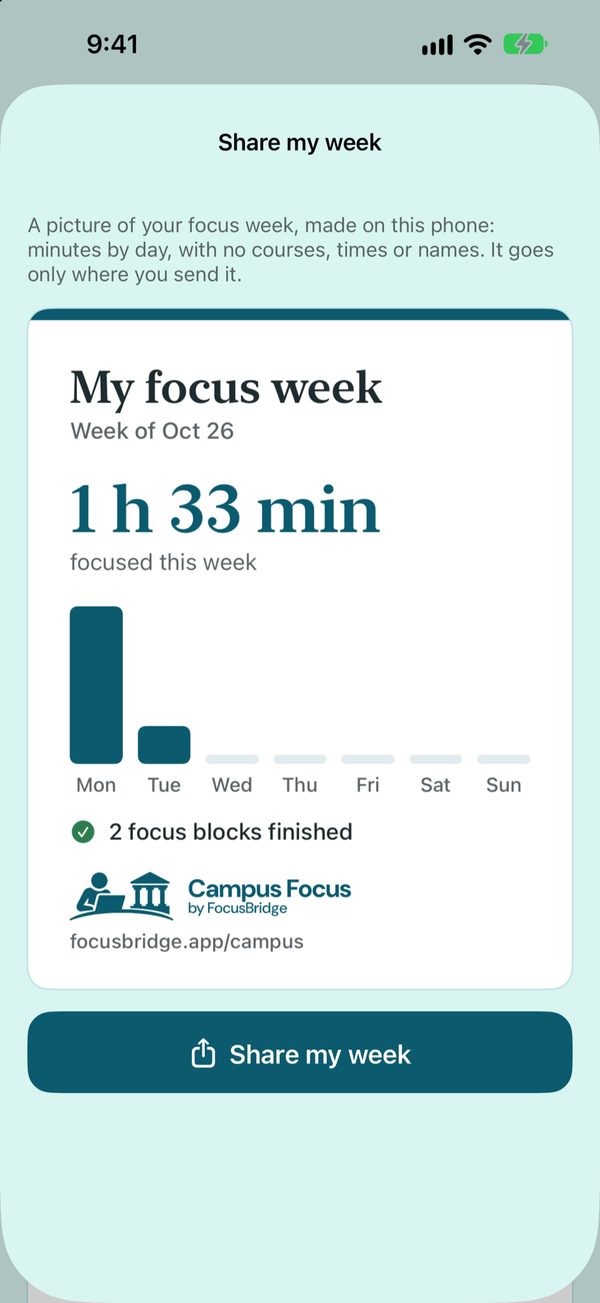
- Share your week
A picture of your focus week, only where you send it.
Made on your phone: minutes by day, with no courses, times or names. Show a friend or a parent what you got done.
- Your people. Add your professors, their office hours and your advisor, so they are there when you need them. They stay on your phone.
- Work and practice. Add your work shifts, practices and games, once or every week, in a tap or two. Your focus blocks go around them.
Events, dates and offices come from each institution's own pages, for the institutions we have added. Don't see yours? Request it inside the app. Pictures show a made-up sample college.
Price
$24.99 a year, or $3.99 a month.
Campus Focus starts with a 7-day free trial. Every student gets the full focus tools and their college's public dates, events and help links from day one. Signing makes it the college's own: its name and mascot, dates and links the college has checked, its own notices, and free access for its students.
Works with calendar links from Blackboard, Moodle, Canvas or Brightspace. FocusBridge never pauses calls or texts and never records the websites you visit. Where to find your calendar link · What's recorded · For instructors
Also from FocusBridge
School Focus for teachers and schoolsHome Focus for parents and students
Be one of the first.
Early schools, families and college students get set up personally and help decide what comes next.